3.1.6 Password Lock
Introduction
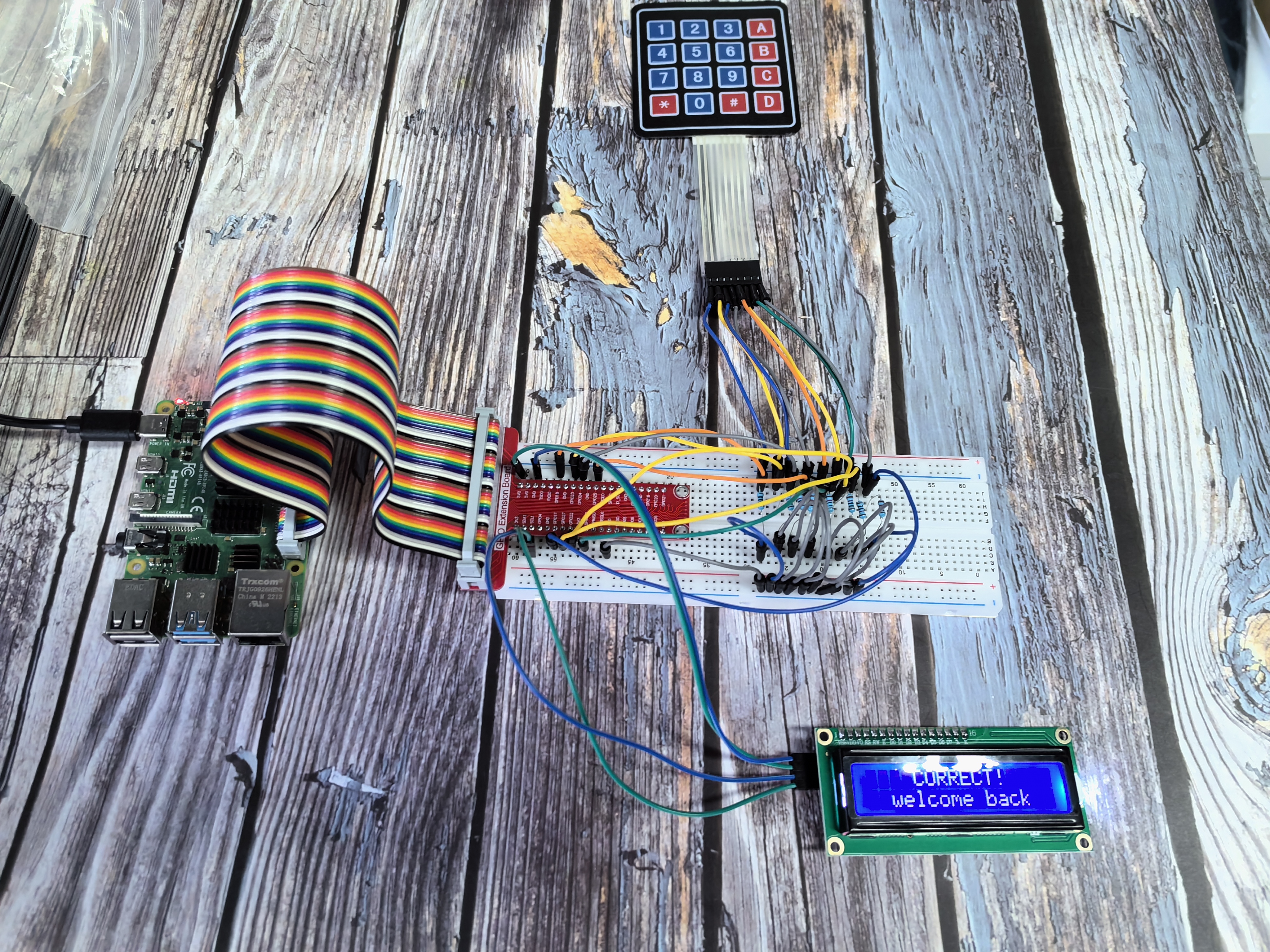
In this exciting security project, you’ll build your own digital password lock system just like the ones used in safes, doors, and secure areas! Using a keypad for input and an LCD screen for feedback, you’ll create a system that only unlocks when the correct password is entered.
How your password lock works: 🔢 LCD Display: Shows prompts and guides you through the password entry process ⌨️ Keypad Input: Type your secret password using the number pad ✅ Security Check: System verifies if your password is correct and displays “Correct” for success
Expansion possibilities: This project is perfect for adding more security features like: • 🔊 Buzzer alerts: Beep for wrong passwords or successful entry • 💡 LED indicators: Green for correct, red for wrong password • 🚨 Alarm system: Sound alert after multiple failed attempts
Components

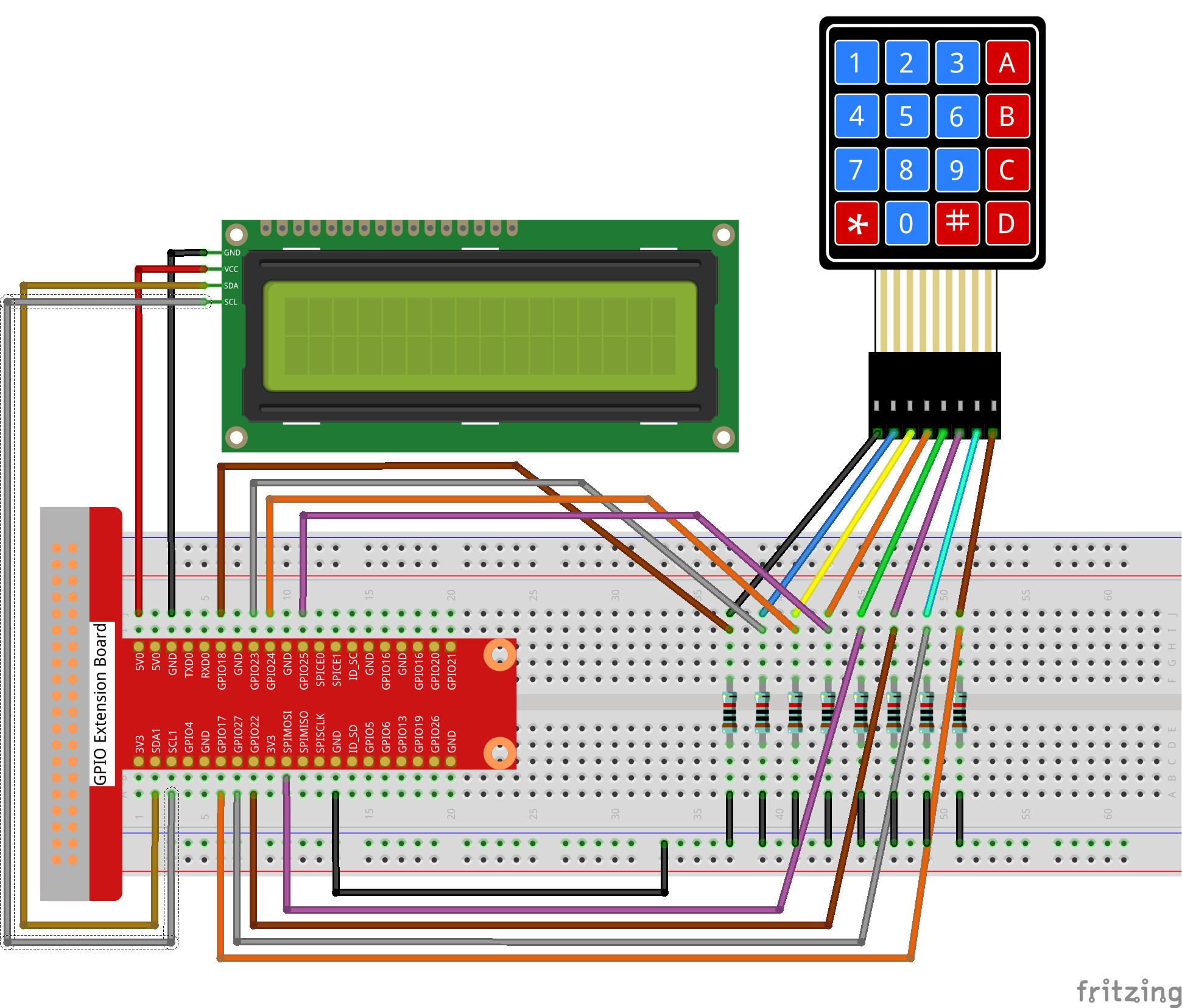
Connect
T-Board Name |
physical |
wiringPi |
BCM |
|---|---|---|---|
GPIO18 |
Pin 12 |
1 |
18 |
GPIO23 |
Pin 16 |
4 |
23 |
GPIO24 |
Pin 18 |
5 |
24 |
GPIO25 |
Pin 22 |
6 |
25 |
GPIO17 |
Pin 11 |
0 |
17 |
GPIO27 |
Pin 13 |
2 |
27 |
GPIO22 |
Pin 15 |
3 |
22 |
SPIMOSI |
Pin 19 |
12 |
10 |
SDA1 |
Pin 3 |
||
SCL1 |
Pin 5 |
Code
For C Language User
Go to the code folder compile and run.
cd ~/super-starter-kit-for-raspberry-pi/c/3.1.6/
gcc 3.1.6_PasswordLock.cpp -lwiringPi
sudo ./a.out
Tip
Want to explore the security code? Use nano 3.1.6_PasswordLock.cpp or nano 3.1.6_PasswordLock.py to see how password verification and user interface work together!
For Python Language User
cd ~/super-starter-kit-for-raspberry-pi/python
python 3.1.6_PasswordLock.py
Phenomenon